To: Hungryroot's lifecycle team
Re: End-to-end user test · Postmarked June 2026
An Average Marketer · Letter No 1
Hungryroot asked me 30+ questions about how I eat. Then asked me to pay $99.98 without showing me a single recipe.
I admire what Hungryroot is building — "like having a personal shopper who gets you" is one of the strongest value propositions in food e-commerce, and the quiz that powers it is genuinely well-designed. So I signed up as a real user: completed every quiz step, abandoned at checkout, and opened every email that followed. The pattern runs through the whole funnel: Hungryroot collects some of the richest zero-party data in DTC, and never shows it back to the customer where it would decide conversion. The biggest fix is at checkout — where category icons stand where the personalized proof should be.
30+
Quiz Steps
Dietary needs, cuisine preferences, proteins, dislikes, household size — richer data than most brands ever get.
0
Recipes Shown
Across checkout and all 7 abandonment emails: category labels only. No recipe names, no personalized preview.
7
Emails in 9 Days
All landed in spam. Two Braze flows with no suppression between them. No welcome email before the sequence fired.
What you'll learn in this teardown
- How to audit a quiz-to-checkout funnel for wasted zero-party data
- What two colliding Braze flows look like from the customer's inbox
- Why deliverability problems are usually program-design problems, not subject-line problems
01 — The Sign-Up Quiz
30+ steps of data collection. Zero payoff at the end.
The quiz spans three chapters — About You, Your Tastes, Your Daily Routine — and gathers more preference data than most paid subscribers ever share. The questions are good. What's missing is any moment where the user sees that data working for them.
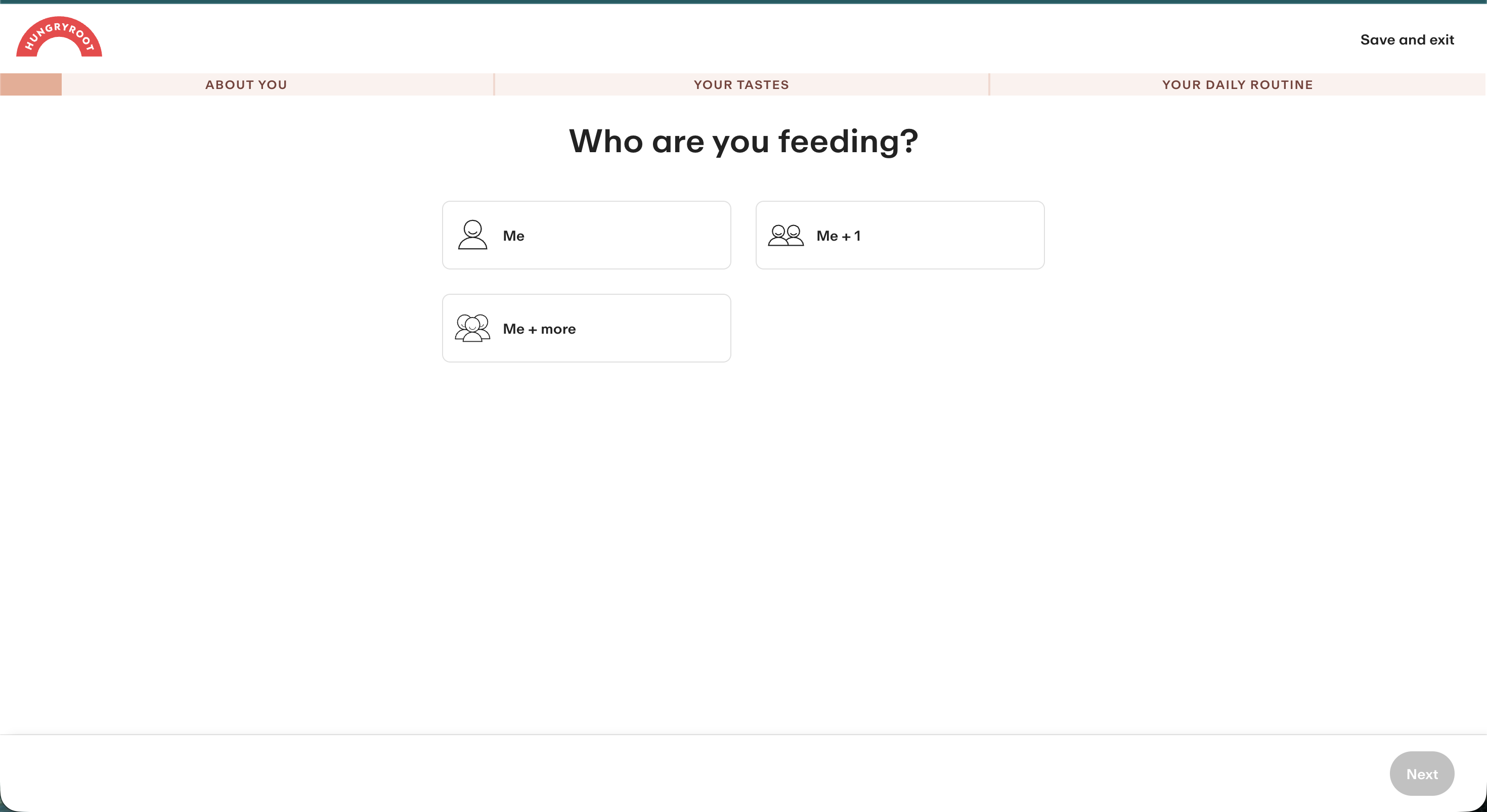
The quiz opens with household size — data Hungryroot uses to size the order. The user is never shown how.
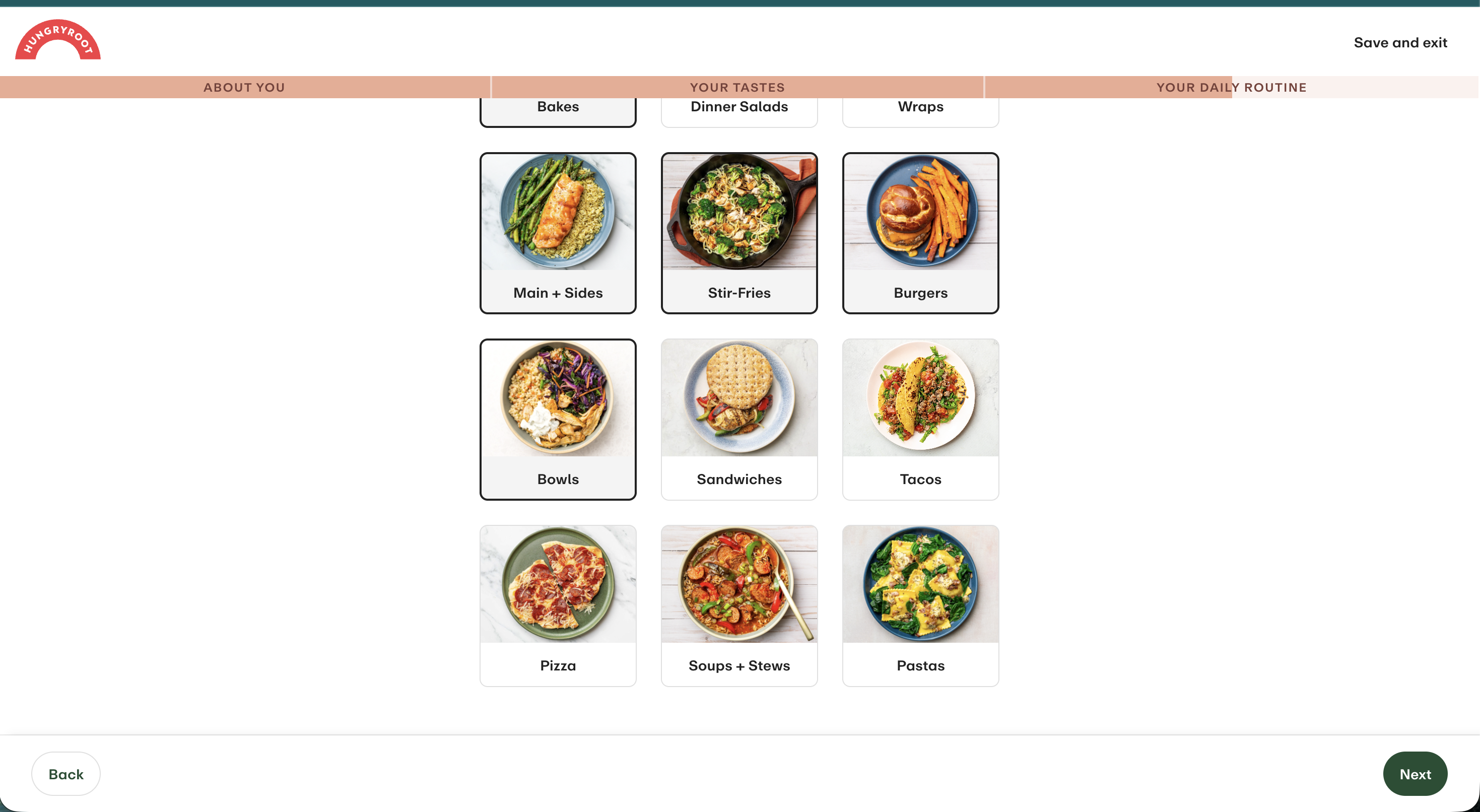
Cuisine preferences collected — Bowls, Tacos, Pasta, Pizza. Specific enough to name recipes. Never used in a single email.
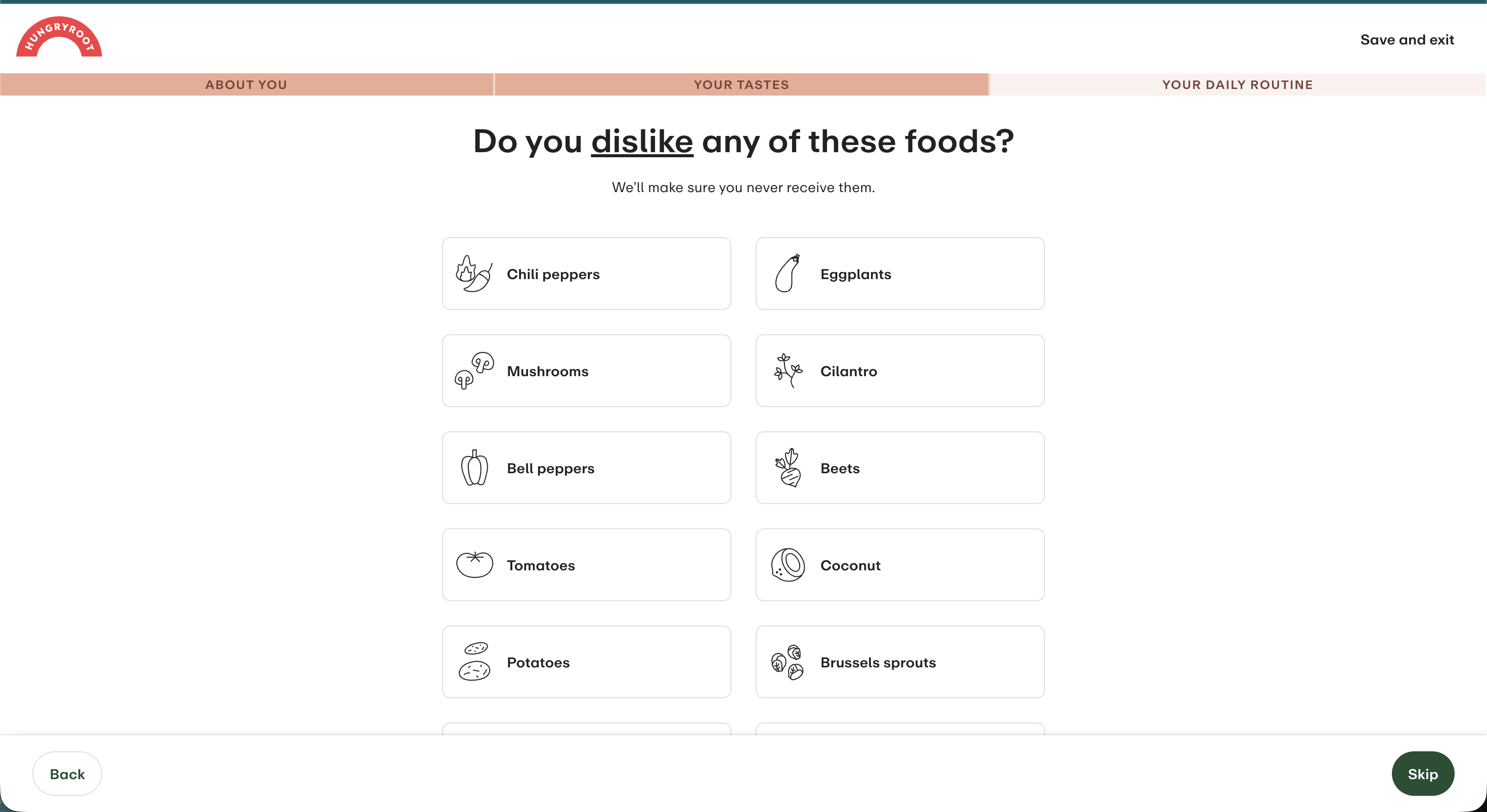
Individual ingredient dislikes captured — down to mushrooms and cilantro. None of it appears anywhere downstream.
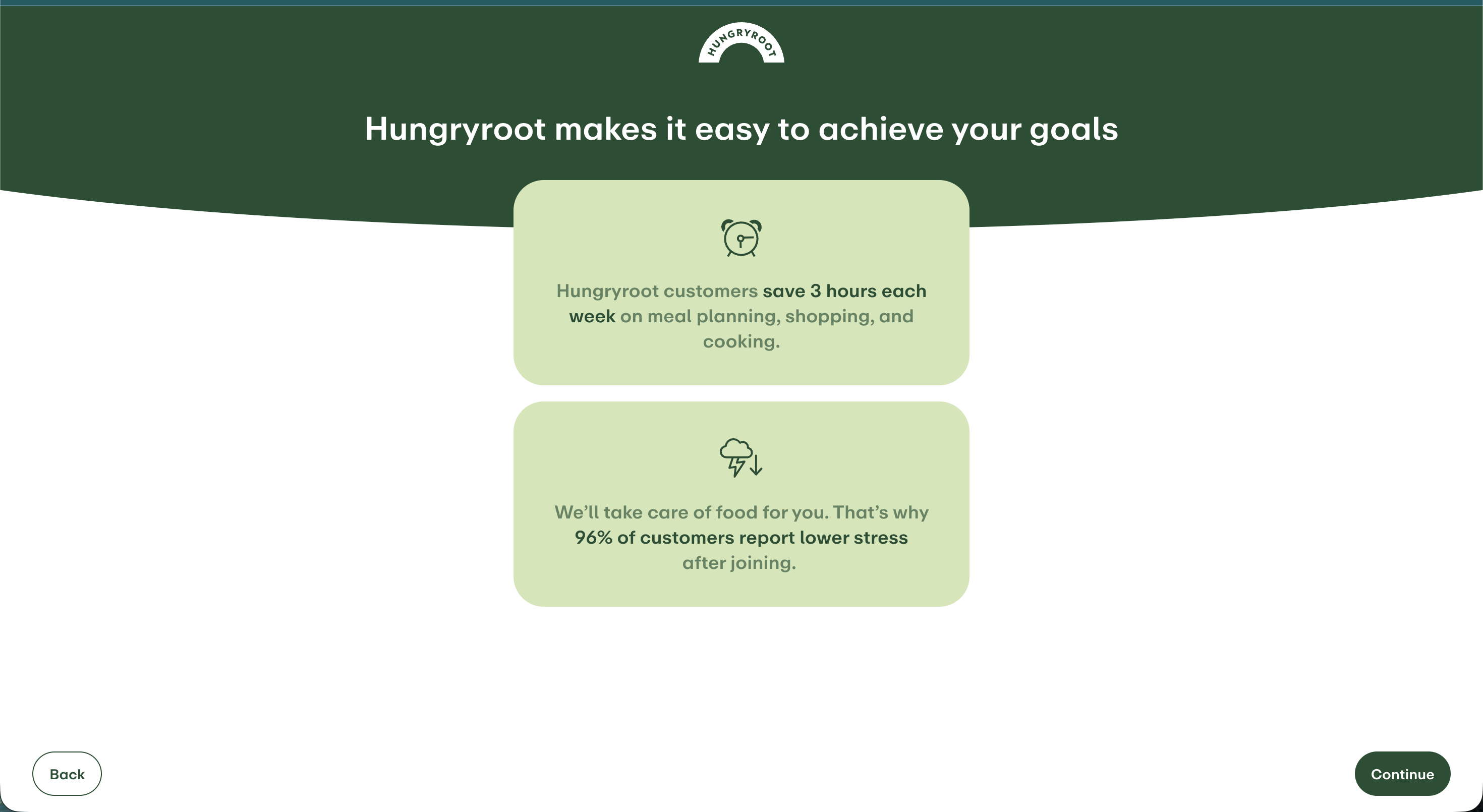
Mid-quiz interstitial: between data-collection steps, Hungryroot shows a generic social-proof stat ("96% of customers report lower stress"). By this point it knows enough to show something far more persuasive: the user's own results taking shape.
Fix 1 of 2
Show a live recipe preview every 5–7 steps — not a generic stat
By step 10, Hungryroot knows enough to render "based on your answers so far, here are 3 recipes we'd send you." A personalized glimpse turns the quiz from a data-collection gate into a selling tool — every additional question becomes visible refinement instead of invisible friction.
Fix 2 of 2
Add a "skip to checkout" path once users see results they like
A user who's already convinced shouldn't have to finish the interview to buy. Surface a "skip to checkout" CTA after the first recipe preview — an early exit is a high-intent signal, and the quiz can resume post-purchase.
02 — Checkout
The moment the data should pay off — and doesn't.
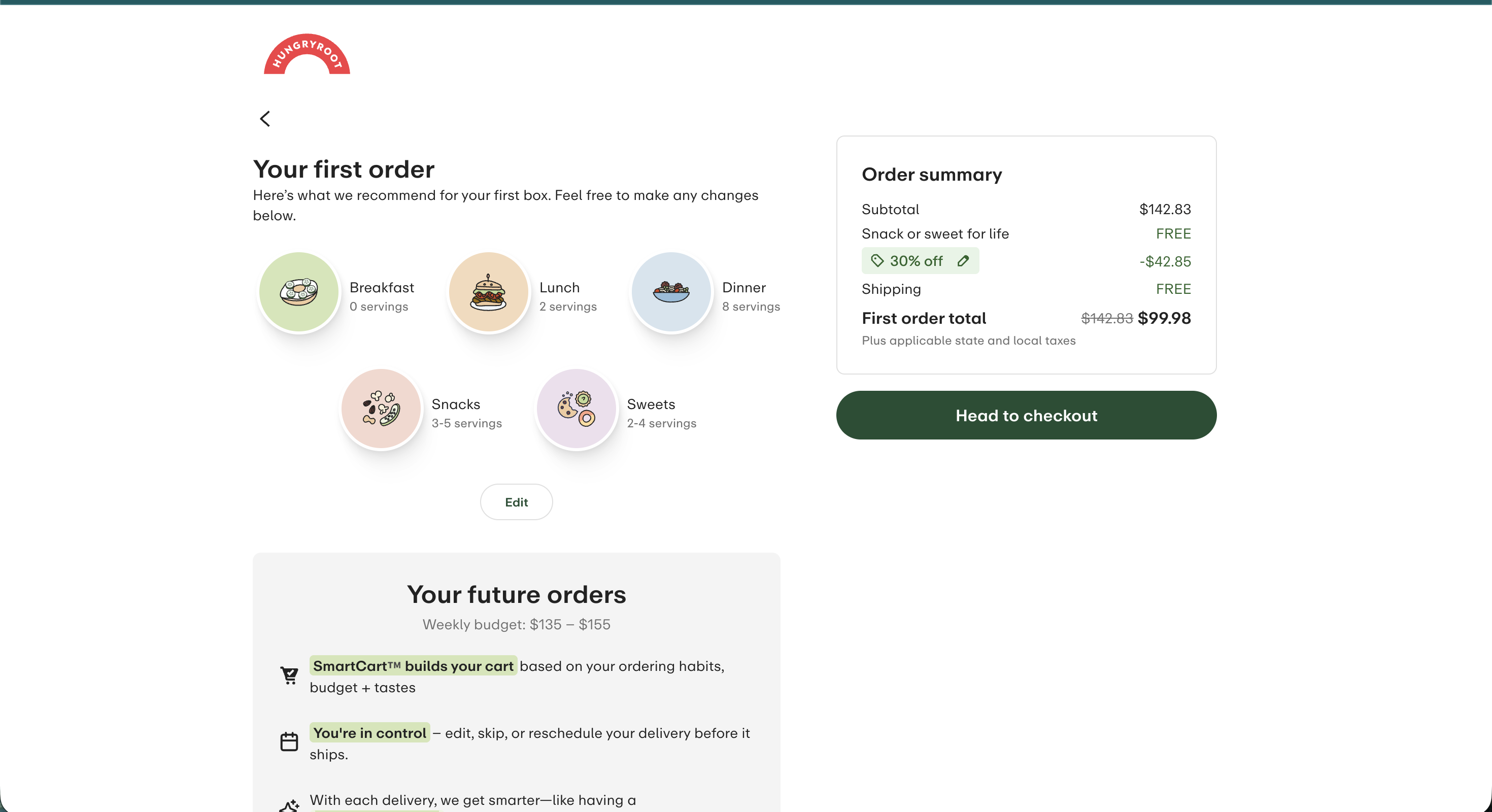
Checkout is where 30+ answers should become proof: "here is your box, built from what you told us." Instead the order summary shows category icons and serving counts. The user is asked to commit $99.98 without seeing one specific thing they'll receive.
The personalization gap: "Dinner: 8 servings." Not a recipe name in sight. Cuisine preferences, protein choices, dislikes — all collected minutes earlier, none of it reflected in the summary the user is asked to pay for.
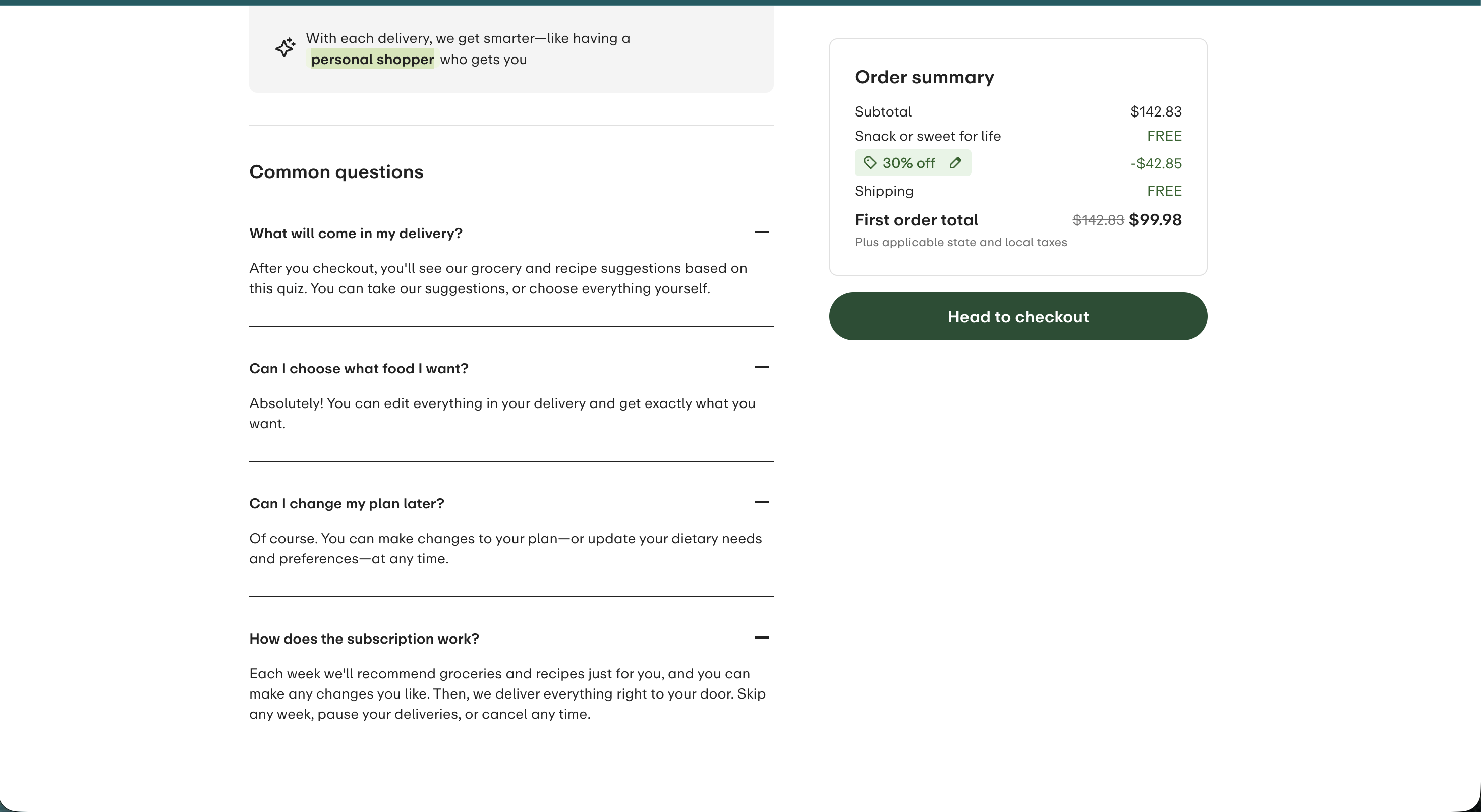
Buried answer: "What will come in my delivery?" — the most important question a new customer has — sits in a collapsed FAQ accordion below the fold. This copy belongs beside the order summary, not behind a tap.
Fix 1 of 1
Replace category icons with the actual recipes the AI selected
Show the 3–5 specific recipes chosen for this user, each with a one-line reason — "kid-approved, high-protein, ready in 15 minutes, no mushrooms." That's the proof of personalization that justifies the price, and the quiz data to power it already exists. Surface "cancel anytime, skip any week" at this decision moment too, not inside an FAQ.
03 — The Email Program
7 emails in 9 days. All in spam. Two flows, no suppression.
After abandoning checkout I received a daily abandonment series for 7 days, then a separate retargeting flow fired on Day 9 with no awareness the first flow existed. Every send landed in the spam folder. Not one used the quiz data.
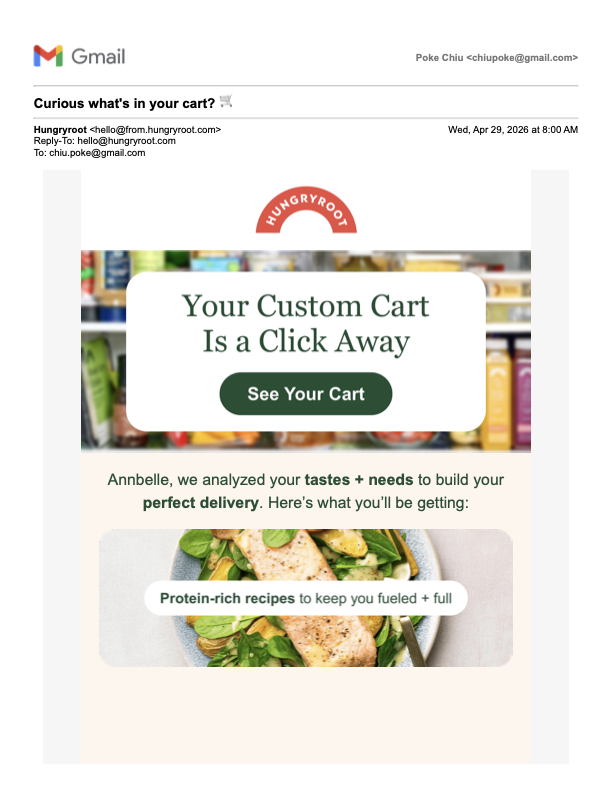
"Curious what's in your cart? 🛒"
Uses first name and category labels ("Protein-rich recipes," "Kid-approved dinners") — but zero recipe names. Landed in spam.
Abandon #1
"A special offer, just for you"
No first name. Generic lifestyle photos. Lists what SmartCart personalizes on — while using none of it. Same 40% offer as Email 1.
Abandon #2
"Your future self will thank you"
Hero image tagged Vegan / <500 Calories — the opposite of the omnivore, high-protein answers I gave. Same 40% offer.
Abandon #3
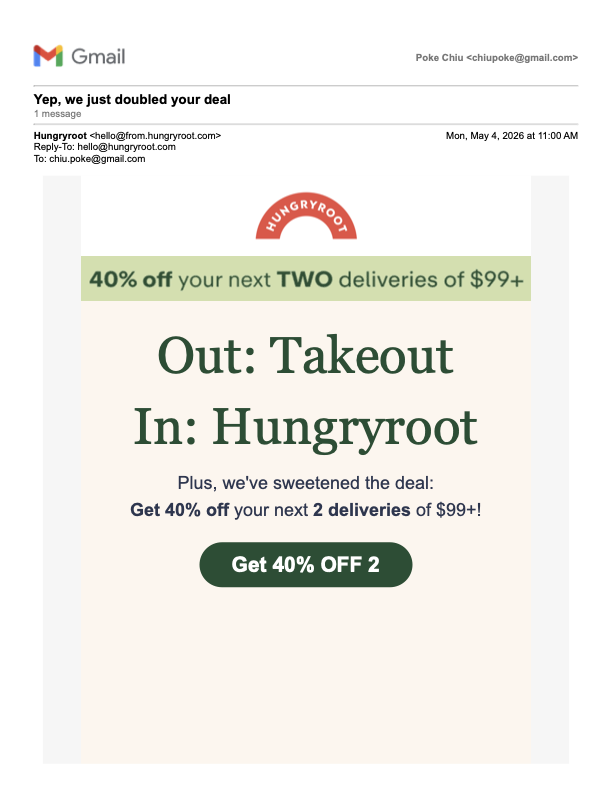
"Yep, we just doubled your deal" ⚠
First escalation — 40% off two deliveries. Originally linked to a 404; later patched to a page where the promo doesn't apply. The best offer in the program leads to a broken checkout.
Abandon #4
"We do our homework" ⚠
Ingredient-transparency angle — genuinely good trust content. Still 40% off two. Still the broken promo link.
Abandon #5
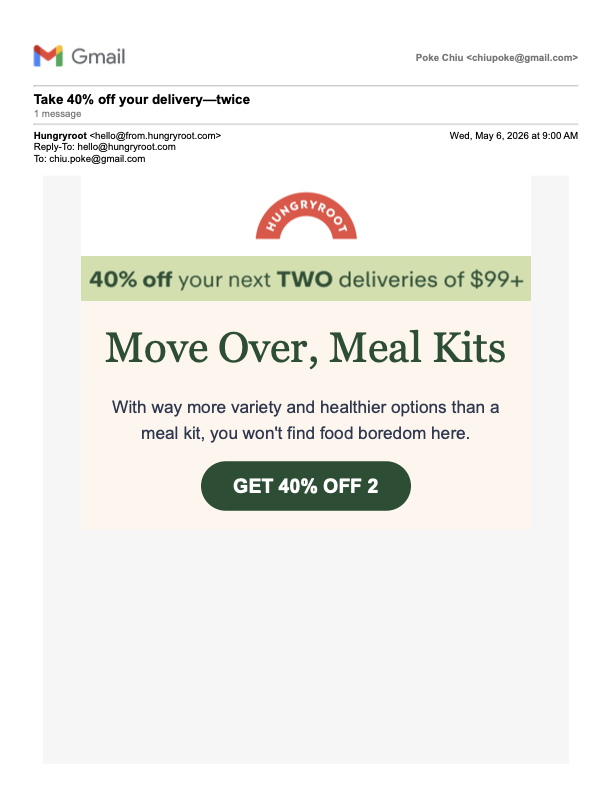
"Take 40% off your delivery—twice" ⚠
Diet tag cloud shows Vegan/Vegetarian — again mismatched to my stated preferences. Urgency copy ("won't last long") with no deadline. Broken promo link.
Abandon #6
"Your shortest wellness routine...ever"
A second Braze flow (LeadsRetargeting) fires while I'm still inside the abandon flow — no suppression — and offers 40% off one delivery, undercutting the escalated two-delivery offer from Days 6–8.
Retargeting
Email 1 (Day 0): first name plus category labels — the closest the series ever gets to personalization.
Email 4 (Day 6): the doubled offer — which linked to a 404, then to a page where the promo doesn't apply.
Email 6 (Day 8): Vegan/Vegetarian diet tags shown to an omnivore, high-protein user. The data to get this right was collected on Day 0.
The Deliverability Problem
Every email landed in spam — and the cause is structural, not cosmetic.
Seven promotional sends in nine days to a brand-new address, heavy image-to-text ratios, and no welcome email to establish the sender relationship — these are the classic inputs ISPs use to classify mail as spam. The fix isn't a subject-line tweak: open the relationship with a welcome series, then weave abandonment and promotional sends around it so the first thing a new user teaches their inbox is that this sender is wanted.
04 — What I'd Fix First
Five fixes, in priority order.
Ranked by leverage against effort. The first two are revenue leaks with fixes that are mostly configuration; the rest compound from there.
1
Fix the broken escalation promo link
Emails 4–6 carry the program's best offer and link to a page where it doesn't apply. This is the highest-intent traffic in the funnel hitting a dead end — a direct revenue leak, fixable in a day.
Low effortRevenue leak
2
Add a welcome email before any abandonment send
Account creation is the highest-intent pre-purchase touchpoint, and today it triggers nothing. A welcome that confirms the account, explains what the quiz built, and previews a first box does a job no cart email can — and it's the first step out of the spam folder.
Low effortDeliverability + trust
3
Show the AI's actual recipe picks at checkout
The thesis fix. Replace category icons with the 3–5 recipes selected for this user and a one-line "why" each. It's the proof of personalization the entire brand promise rests on, at the moment the buying decision happens.
Med effortConversion
4
Pipe quiz attributes into Braze and use them in every email
Email 1 already receives household composition — the pipeline exists. Passing cuisine, protein, and dislike attributes enables recipe-level personalization with conditional logic, and ends the vegan-hero-image-to-an-omnivore mismatch.
Med effortProgram-wide lift
5
Add cross-flow suppression and compress the escalation ladder
One user should never be in two acquisition flows at once — the Day 9 retargeting email undercut the escalated offer by 50%. Suppress across flows, and move the offer ladder to Day 1 → Day 2 → Day 3 while intent is warm, instead of escalating on Day 6.
Low effortFrequency + margin
The value prop is one of the best in food e-commerce, and the data to deliver it is already collected. Spending data that's already sitting in the warehouse is the most satisfying kind of lifecycle work — and the fastest to show a number.